
Tentacle
Write DBML.
See Your Database Instantly.
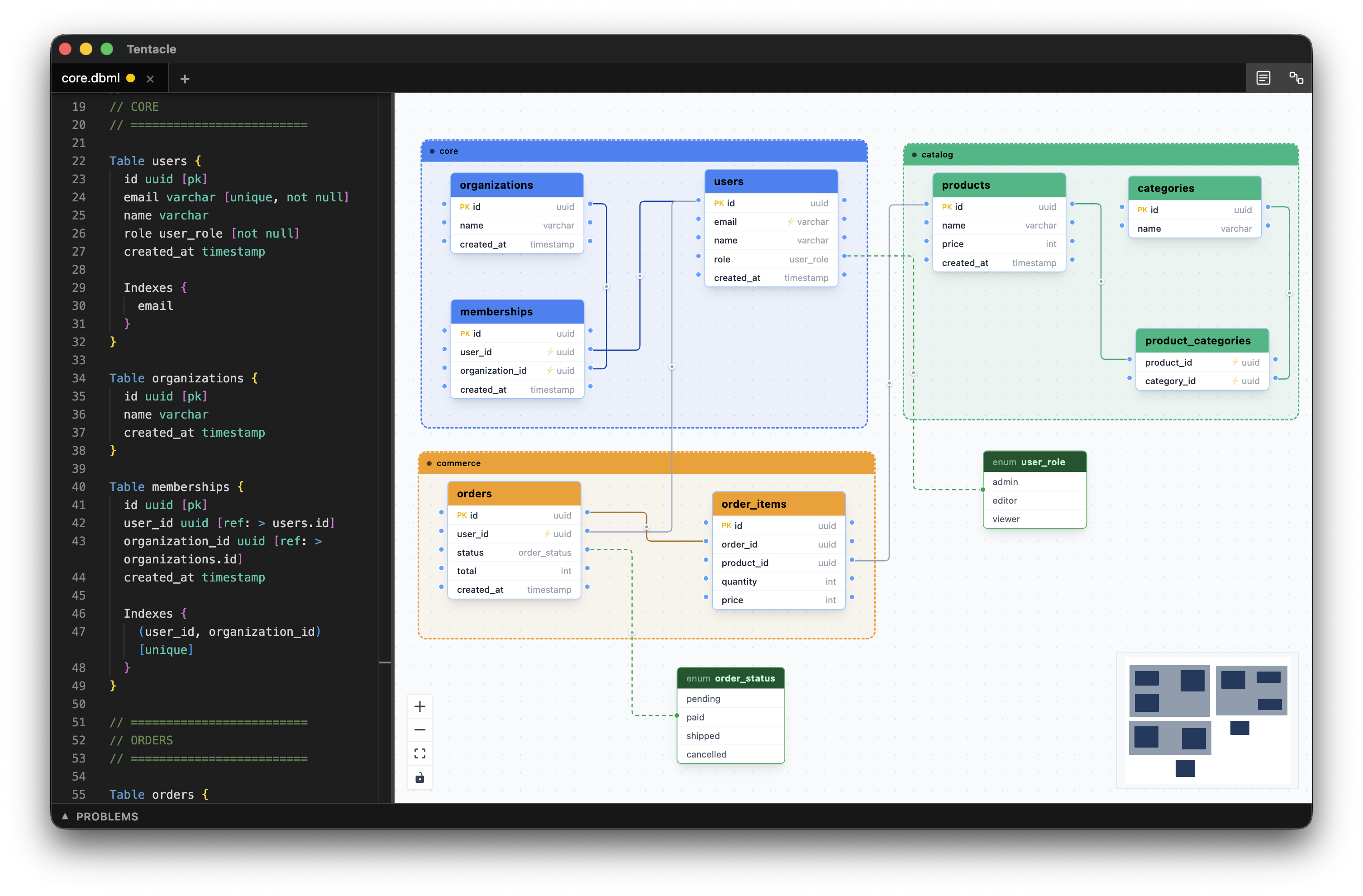
A schema editor for Mac. Type your database structure and watch it become an interactive diagram in real time — no account, no server required.
Tentacle
A schema editor for Mac. Type your database structure and watch it become an interactive diagram in real time — no account, no server required.
Always in sync
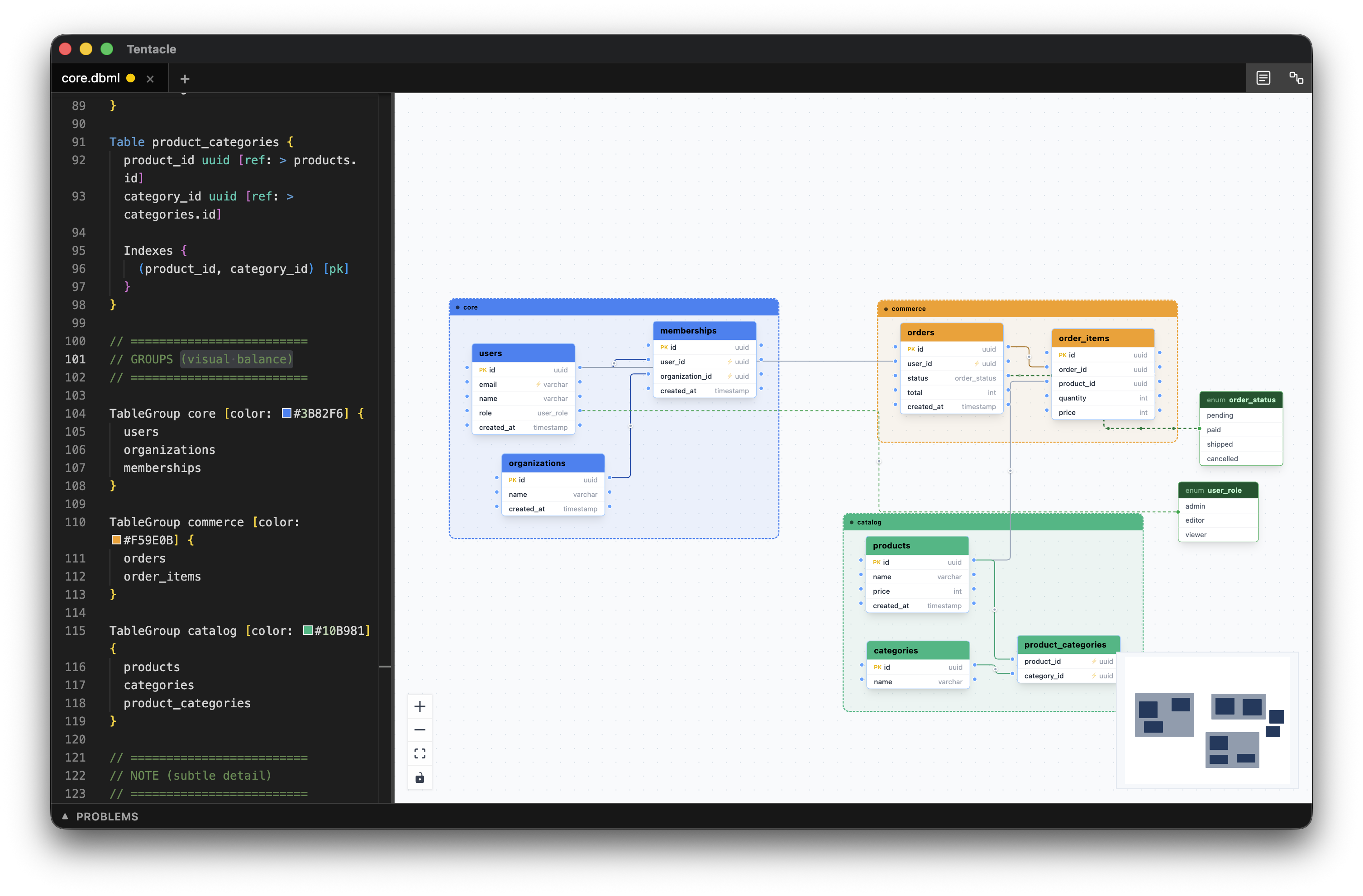
The editor sits on the left, your live diagram on the right. Every change is reflected the moment you type — no save step, no refresh, no switching windows.
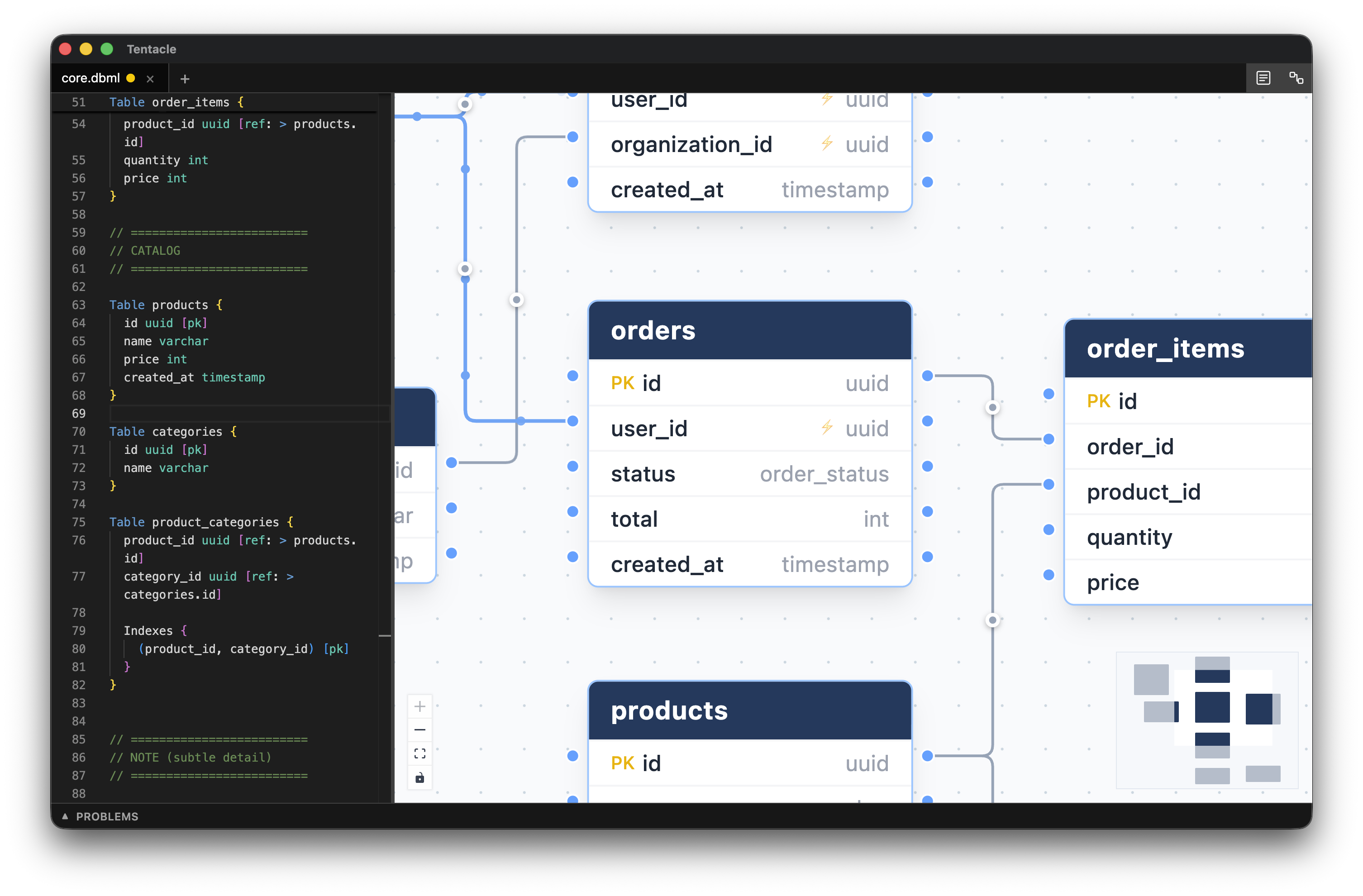
Full detail
Column names, data types, primary keys, and nullability are all visible on each node. See the shape of your whole schema without having to hover or expand anything.
Foreign keys
References are drawn as edges connecting the exact columns they link. Drag to create a new reference in the diagram, or select an edge and press Delete to remove it.
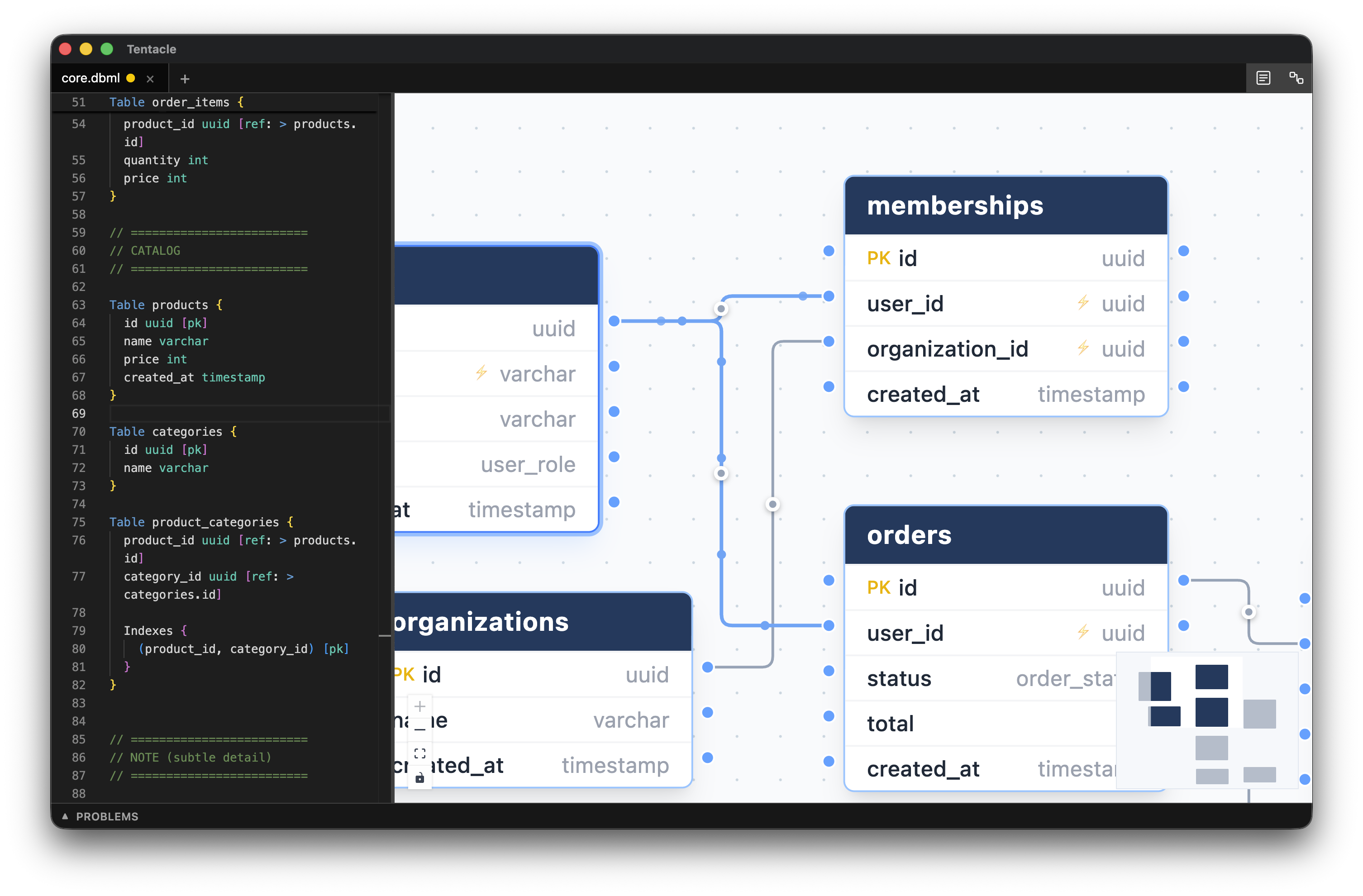
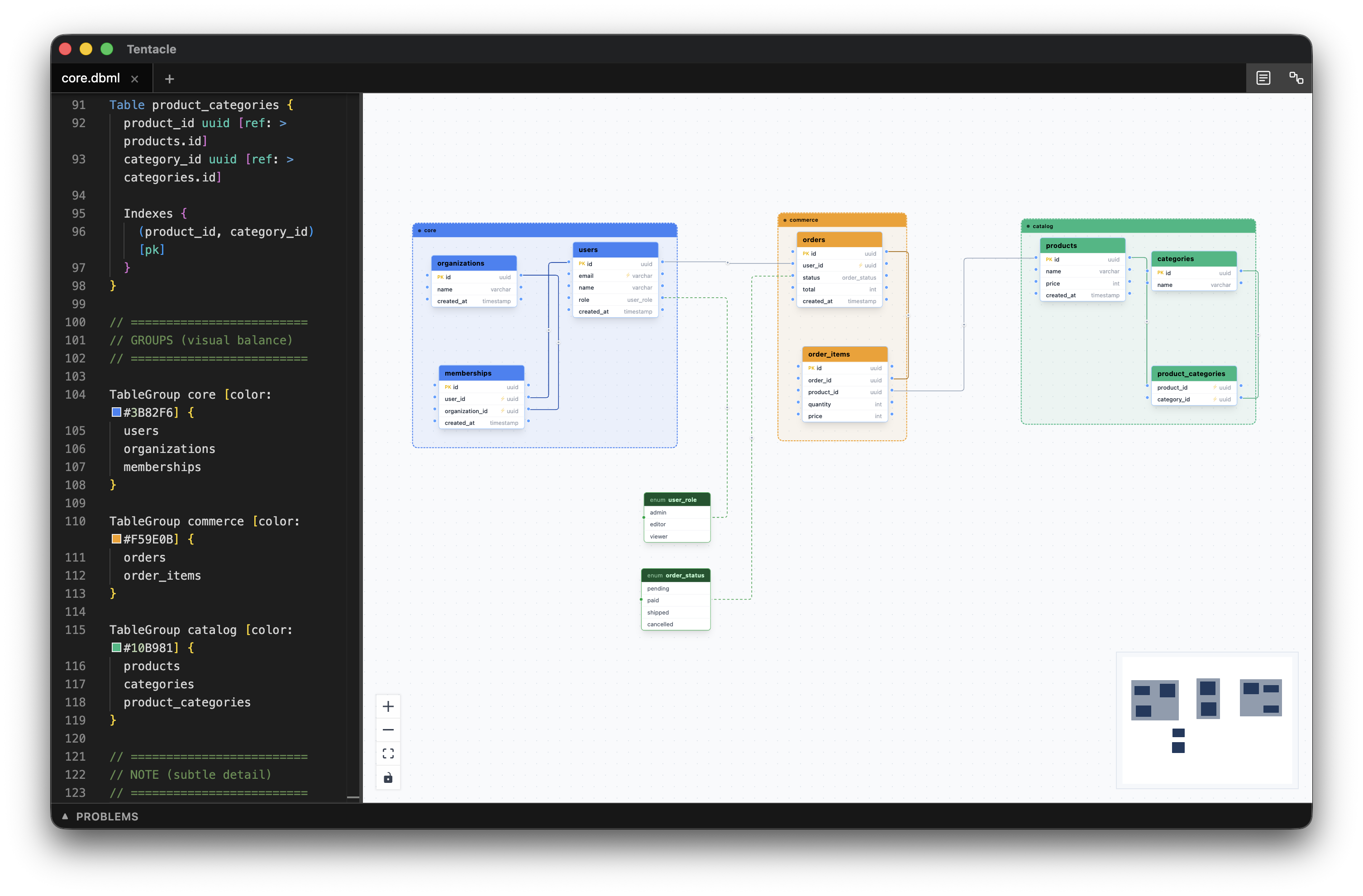
Table groups
Use TableGroup blocks to cluster tables by
area — core, commerce, catalog — and give each group a
distinct color. Large schemas stay readable at a glance.
Local-first
Everything runs on your Mac. Open any .dbml file
and start editing — nothing is sent anywhere, and no account is
needed.
Works with any .dbml file on your disk. No
proprietary format, no lock-in.
No internet connection needed — on a plane, in a basement, or with Wi-Fi off.
Node positions are stored in a sidecar file next to your schema. Reopen and pick up where you left off.
No telemetry, no analytics. Your schema stays on your machine.

Open a .dbml file and your schema is already a
diagram.